Log in to Your 1xBet Account in Kenya 2026
It goes without saying that you can’t log into an account you don’t have. Therefore, only registered users can sign into their 1xBet accounts. Accessing your account is something you can do with an eye closed, whether you are a seasoned gambler or a beginner. Besides, there are several ways of doing it.
| Method |
Description |
Link |
| Mobile app |
Available to Android and iOS bettors |
Download 1xBet App |
| Website |
The website is mobile optimised and can be accessed from any device |
1xBet Website Login |
1xBet Mobile App Login
Betting fans from Kenya can access 1xBet easily, thanks to the Android and iOS mobile apps the operator offers.
Here’s a step-by-step guide to logging into your account via the 1xBet app:
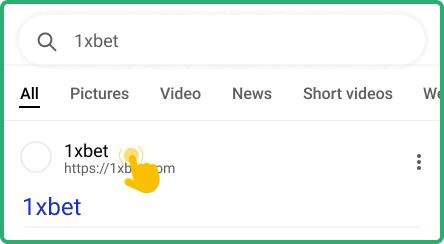
Use your mobile browser to go to the official website of 1xBet. The link will take you to the genuine site, avoiding scam copies.

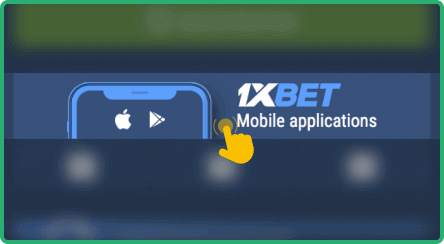
Look for a download link to the application and open it. The link will be located either in the footer or in the header.

After opening the link, download the app on your smartphone or tablet. Installation will start automatically for iOS users.

Once the installation process is complete, open the app and log in to your account seamlessly.

Note: Users with Android devices need to go to Settings and allow installations from unknown sources to install the 1xBet app on their phones or tablets.
| Parameter |
System Requirements |
| Operating system |
Android 5.0 or higher and iOS 12.0 or later |
| Random-access memory |
At least 1GB RAM recommended |
| Storage space required |
Needs a minimum of 78MB of storage for Android and 250 MB for iOS |
| Internet connection |
Requires stable internet for full app functionality |
1xBet Login via Website
The easiest way of accessing your 1xBet account is via the website. Here’s a step-by-step guide to logging into your account through the desktop site:
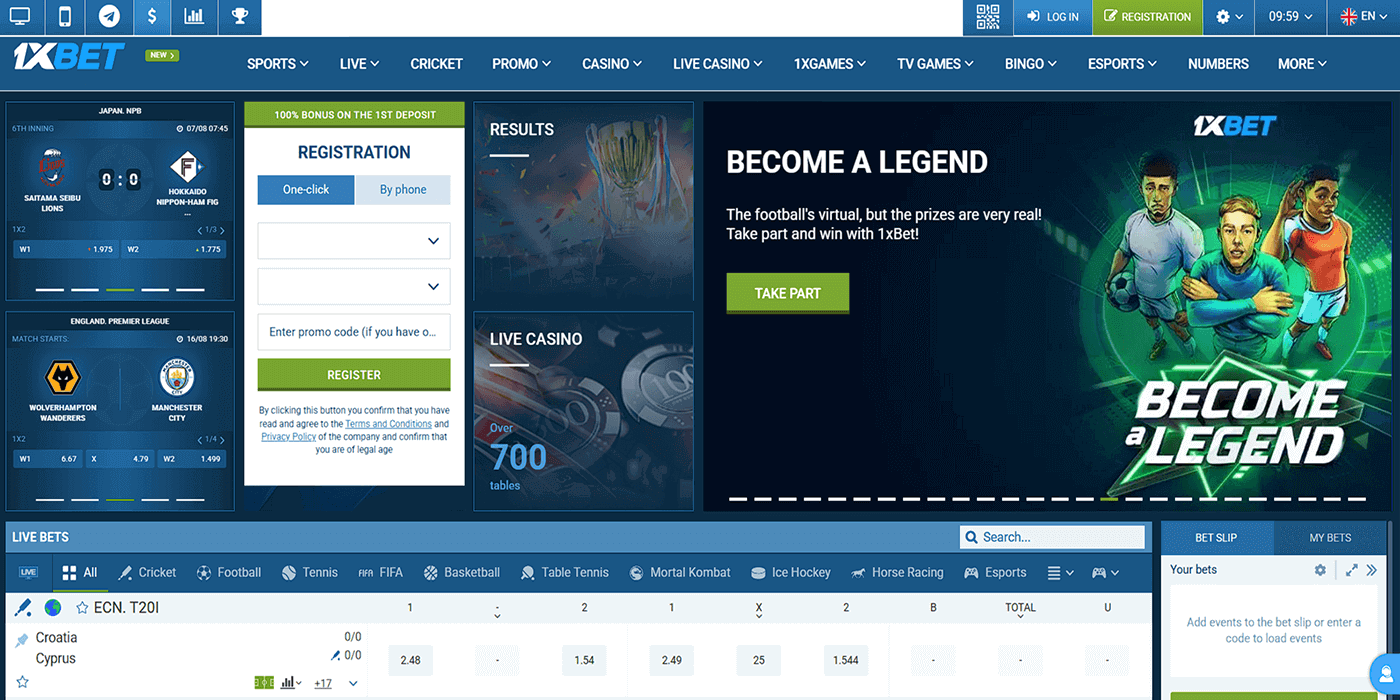
- Step 1. Go to the official site. Use our link to access the official website of 1xBet. The link guarantees you reach the official site and get exclusive bonuses.
- Step 2. Hit the “Log In” button. Click on the Log In button in the top-right corner. Click ‘Remember’ for the system to remember your credentials.
- Step 3: Key in your credentials. Enter your login credentials (mobile number and password) in the respective fields. You will need these data regardless of the sign-up method you choose.
- Step 4. Finalise the process. Hit the “Log In” button at the bottom of the login form. More importantly, ensure your username and passwords are accurate to avoid a login failure.
1xBet Sign-in Issues & Solutions
Users encounter login issues even with the most user-centric gambling platforms. Being conversant with the common problems and the possible workarounds helps you access your account seamlessly.
Next, we’ll walk you through common login issues and how to navigate them.
- Forgotten Account Password
It’s not unusual to forget your password. However, it shouldn’t make you fret, as you can recover it with ease. The operator offers two ways of doing it, i.e., by email or phone. Once you open the login form, click on the “Forgot your password?” link and choose your preferred method.
The operator may lock your account temporarily after several unsuccessful login attempts. If that happens, it is advisable to wait for about half an hour before trying to log in again. Consider resetting your password if the problem persists.
Users are free to contact customer support for help should these lockout solutions bear no fruit. You can use the live chat feature available on the platform or the phone number provided in the “Contacts” section. There’s also support via WhatsApp.
- Technical Issues With Account Login
Login failure can also be attributed to technical glitches in the platform. Here are some common cases and the possible solutions.
| Issue |
Possible Cause |
Solution |
| Page won’t load |
Problems with internet connection, resulting in the site being unable to access its loading resources |
Ensure your internet connection is stable. Check if your WiFi network or LAN is up and running. |
| Login error |
Your account may be blocked for one reason or another. for instance, the security team may block it due to violation of rules |
Reach out to the support team for help if you are sure your account may have been blocked erroneously. |
| App crashes |
Corrupt data files in the app. Another possible cause could be an outdated component in the application |
Clear the cache and restart the app. If that doesn’t work, update the app to the most current version. |
| Login button unresponsive |
There might be a bug in the app, causing unresponsiveness in the button |
Start by closing the platform and restarting your PC or mobile device. If the problem is with the app, uninstall and reinstall it. |
Consider contacting customer support for help if the discussed solutions don’t work. Here are the available contact channels: