

SportPesa Kenya has earned a strong following among local sports betting fanatics, thanks to its exciting promotions, detailed sports coverage, and lightning-fast platform. Whether you enjoy live betting, jackpots, or simple match wagers, SportPesa brings everything together in one sleek package.

However, to unlock your betting options, bonus rewards, and account controls, you must first log in. The good news? It takes just a few seconds to go from the homepage to full betting access.

Log in to Your Sportpesa Account in 2026

You can only sign in to SportPesa Kenya if you already have a registered account. Unregistered users won’t be able to place bets, withdraw funds, or access account tools, so signing up is a must.

Fortunately, SportPesa provides a smooth and flexible login process for returning users on mobile and desktop platforms.

Method Description Link
Mobile app Ideal for mobile users with iOS and Android devices Download Sportpesa App
Website Great option for all bettors, regardless of their device Sportpesa Website Login

Sportpesa Mobile App Login

SportPesa provides an official mobile app for both Android and iOS, making it very accessible to Kenyan players. Apple users can get the app from the App Store, while Android users can download the APK directly from the SportPesa website. Here is the simple login process via the SportPesa app:

1
Download the App

Visit SportPesa’s site or the App Store to download and install the appropriate app for your gadget.
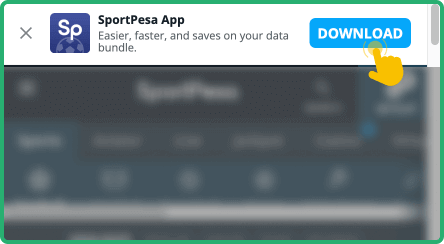
Download the App

2
Open the App

Launch the mobile application from your mobile home screen or app drawer.

Open the App

3
Locate the Login Option

Tap the “Log In” icon at the top of the opening page next to the Registration button.
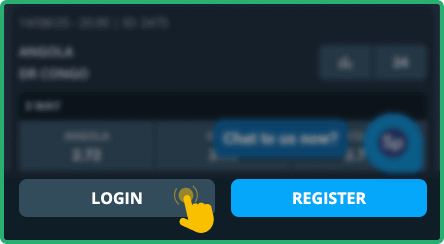
Locate the Login Option

4
Enter Credentials

Provide your registered phone number and password, then tap "Log In" to access your dashboard.
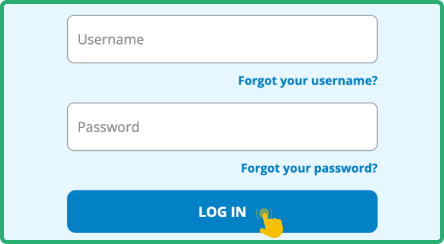
Enter Credentials

Parameter System Requirements
Operating system Android 5.0 or higher and iOS 11.0 or later
Random-access memory At least 1GB RAM recommended
Storage space required Needs a minimum of 98MB of storage
Internet connection Requires stable internet for full app functionality

Sportpesa Login via Website

Logging in through the SportPesa website is one of the commonly used methods because it is very simple and consistently reliable. This option is ideal for desktops, laptops, or mobile browsers. It requires no downloads and gets you straight into the betting action within seconds.

To log in via the website, here are the quick and easy steps to follow:

  • Go to the official site. Visit SportPesa’s official website by following the official link posted below. You can use any web browser on your device.
  • Click the Log In button. Enter your mobile number and password in the designated boxes at the top-right corner of the page.
  • Finish signing in. Press the LOGIN button to submit your information and continue to your account.
  • Start betting. Once logged in, you can proceed to depositing and making real money bets. Don't forget to check the bonus section.
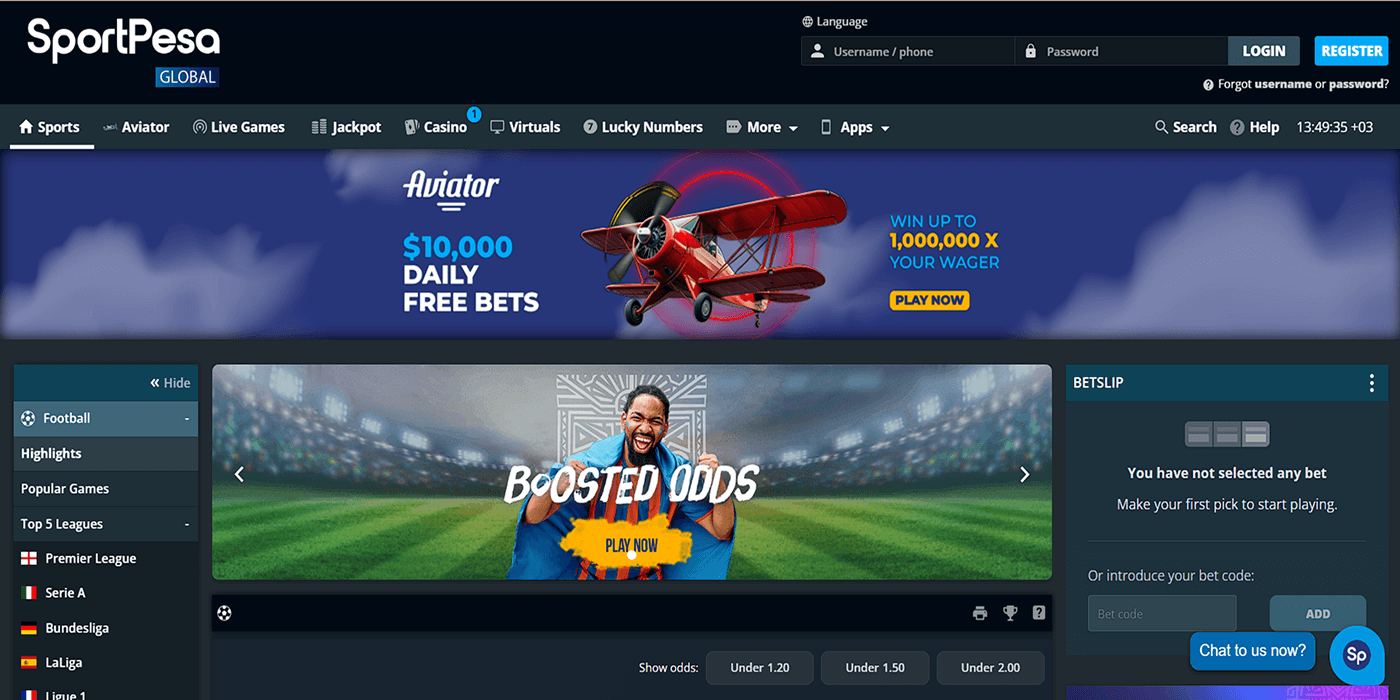
SportPesa Login via Website

Sportpesa Data Free Login

For a lot of Kenyans, keeping mobile data usage in check is essential, and many are on the lookout for zero-data access or data-free login offers. SportPesa doesn’t currently offer any official partnership with local mobile networks, but the platform does help reduce data costs with a responsive site and low-bandwidth design.

Whether you’re using Wi-Fi or bundles, SportPesa keeps things light by avoiding heavy graphics or background processes – perfect for conserving mobile data while logging in and betting.

Sportpesa Sign-In Issues & Solutions

Even a stable platform like SportPesa can have occasional login issues. Knowing the common problems and fixes can help you stay connected and avoid delays. See the usual culprits below.

  • Forgotten Password

Forgot your SportPesa password? Don’t stress – it happens more often than you realise. To begin recovery, click “Forgot Password?” on the login screen. You’ll be prompted to enter your phone number, after which SportPesa sends a verification code via SMS to help you reset your password quickly and regain access.

  • Temporary Account Lockout

Too many incorrect login attempts can trigger a temporary lock on your SportPesa account as a safety precaution. It's a good way to keep unauthorised individuals from accessing your account. If this happens, here are a few things that you can do:

  • Wait around 30 minutes and try again.
  • Use the “Forgot Password” tool to reset your details.
  • Contact SportPesa customer care for help unlocking your account.
  • Check that you’re entering the right phone number and password combination.
  • Technical Glitches

Technical hiccups cannot always be avoided, even with top platforms. Below are some of the most common login-related issues and what you can do to fix them:

Issue Possible Cause Solution
The site doesn't load Your network could be slow, or the site might be undergoing updates Refresh the page or switch to a stronger connection and try again later.
Login error message appears System glitch or incorrect login info entered repeatedly Double-check your info, then refresh and retry after a few minutes.
Mobile app crashes Outdated app or device overloaded with too many apps open at once Reinstall the Sportpesa app to clear background bugs, or simply restart your device.
Login button is unresponsive Extensions, outdated browser versions, or heavy cache might interfere with functionality Update your browser, clear cache, or try using another browser or device.

If these solutions are not helpful, it would be best to reach out to SportPesa customer support via any of the following channels:

FAQ

General Login Questions

How do I update my login information?
Log in to your SportPesa account, visit the profile or account settings page, and choose the option to update the particular detail you want to change. To update your phone number, please contact our customer support.
What happens if I'm unable to access my registered phone number?
Contact SportPesa support directly. You might be asked to submit documents to verify your identity, then be guided through updating your account with a new number so you can restore access safely.

Account Security

Is it safe to login to SportPesa on public Wi-Fi?
Using public Wi-Fi might seem convenient, but it's dangerous as it can expose your data. It's safer to log in with mobile data or a secure Wi-Fi network to prevent unauthorised access to your betting account.
Is it OK to use the “Keep me logged in” feature?
Yes, there shouldn't be any problem if you're using your device. Avoid enabling this feature if you're on shared or public computers to prevent others from accessing your SportPesa account without permission.